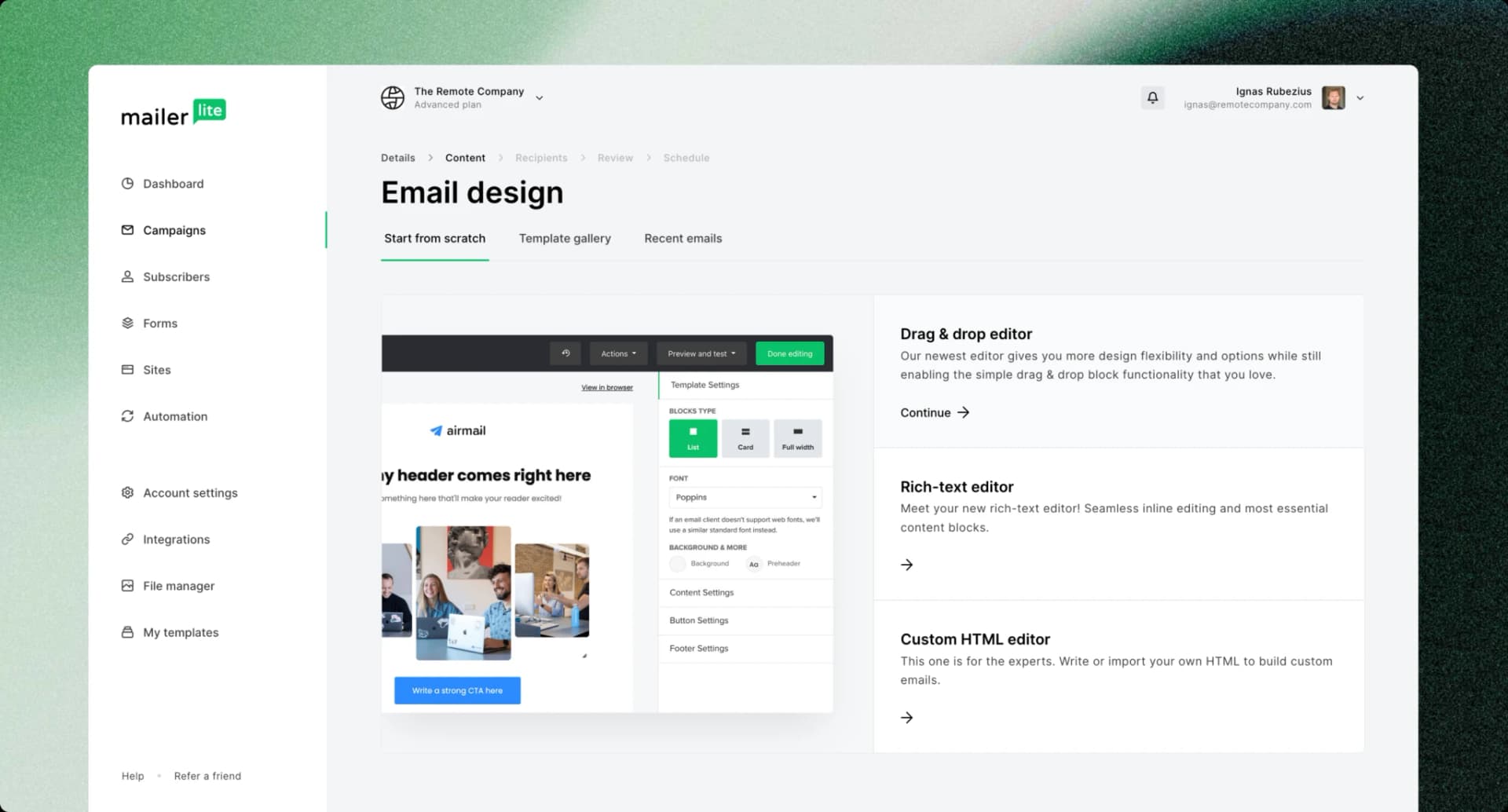
In the crowded landscape of email marketing tools, MailerLite stands out as an accessible and feature-packed platform tailored to the needs of marketers. Whether you're managing email campaigns for a small business, an e-commerce store, or a large corporation, MailerLite offers an intuitive interface and robust features that make email marketing effortless and effective. This guide dives deep into how marketers can harness the power of MailerLite to elevate their campaigns.
What is MailerLite?
MailerLite is a versatile email marketing platform designed for businesses of all sizes. Its key features include email automation, landing pages, subscription forms, and detailed analytics. Known for its user-friendly interface and affordable pricing, MailerLite empowers marketers to connect with their audience in meaningful ways.
Key Features of MailerLite for Marketers
1. Drag-and-Drop Email Builder
The drag-and-drop editor allows marketers to create visually appealing emails without needing design skills. Customizable templates make it easy to match your brand’s identity, and you can preview how emails will appear on desktop and mobile devices.
2. Automation Workflows
MailerLite’s automation features help marketers set up workflows for tasks such as:
Welcome emails for new subscribers.
Cart abandonment follow-ups for e-commerce.
Personalized offers based on user behavior.
You can segment your audience and create workflows tailored to different customer journeys.
3. Landing Pages and Forms
Creating landing pages and subscription forms is seamless with MailerLite. These tools help capture leads directly from your website or social media campaigns. Marketers can also use built-in A/B testing to optimize their forms and pages for better conversion rates.
4. Advanced Analytics
MailerLite provides detailed analytics to track the performance of your campaigns. Metrics such as open rates, click-through rates, and subscriber growth help refine your strategy.
5. Integration with Other Tools
The platform integrates with popular tools like Shopify, WooCommerce, Zapier, and WordPress, ensuring that marketers can sync their email campaigns with existing workflows and platforms.
6. Personalization and Segmentation
Tailoring emails based on user preferences or behavior is effortless with MailerLite. Use segmentation to group subscribers by demographics, purchase history, or engagement levels, and deliver hyper-targeted content.
Getting Started with MailerLite
Step 1: Setting Up Your Account
MailerLite offers a free plan for up to 1,000 subscribers, making it ideal for new marketers. Start by signing up, verifying your account, and customizing your profile with your brand details.
Step 2: Building Your Email List
Use MailerLite’s forms and landing pages to grow your email list. Offer value through lead magnets like eBooks, discounts, or exclusive content to encourage sign-ups.
Step 3: Designing Your First Campaign
Choose a pre-built template or start from scratch using the drag-and-drop editor.
Add your content, images, and call-to-action (CTA).
Preview the email to ensure it looks good across devices.
Step 4: Automating Your Workflow
Set up your first workflow by selecting triggers such as a new subscriber joining your list. Add actions like sending a welcome email, offering a discount, or following up after a purchase.
Step 5: Analyzing Performance
After sending your campaign, monitor the performance using MailerLite’s analytics dashboard. Use insights to refine your messaging, design, and timing for future campaigns.
MailerLite Best Practices for Marketers
1. Keep Your Lists Clean
Regularly clean your email lists to remove inactive or invalid email addresses. This helps improve your deliverability and engagement rates.
2. Focus on Value-Driven Content
Every email should provide value to the recipient. Avoid spammy language and ensure your subject lines and content are engaging and relevant.
3. Leverage A/B Testing
Test different subject lines, email designs, and CTAs to see what resonates most with your audience.
4. Use Personalization
Incorporate the recipient’s name, preferences, or past interactions to make your emails feel tailored and relevant.
5. Optimize for Mobile
With a significant portion of emails opened on mobile devices, ensure your emails are responsive and easy to navigate on smaller screens.
MailerLite Pricing: Affordable for All
MailerLite offers a straightforward pricing model:
Free Plan: Up to 1,000 subscribers with basic features.
Paid Plans: Start at $10/month, scaling with your subscriber count and feature requirements.
This affordability makes MailerLite a popular choice for small businesses and startups.
Why Marketers Love MailerLite
Ease of Use
Marketers appreciate the platform’s simplicity. Even beginners can set up campaigns and automation workflows quickly.
Affordable Pricing
MailerLite’s competitive pricing ensures that businesses of all sizes can leverage email marketing without breaking the bank.
Comprehensive Features
From automation to analytics, MailerLite provides everything a marketer needs to run successful campaigns.
Conclusion
MailerLite is a powerful ally for marketers looking to enhance their email marketing strategies. With its user-friendly interface, robust features, and affordable pricing, the platform caters to both beginners and seasoned professionals. By following best practices and leveraging MailerLite’s tools, marketers can build meaningful relationships with their audience and drive tangible results.
Ready to transform your email marketing game? Sign up for MailerLite and start crafting campaigns that convert!